Home
Welcome to Timelapse: my life, my legacy, my timeline
Timelapse is your personal journal and memory vault for building a digital legacy in a secure, organized space with a unique chronological digital timeline. With Timelapse we hope to:
- Preserve personal, familial & cultural heritage
- Promote digital inclusion
- Foster intergenerational connections
- Facilitate lifelong learning
This detailed user guide is here to help users get the most out of our platform. Welcome video for an overview of Timelapse COMING SOON!
Getting Started
Create your Timelapse account by following these instructions:
- Navigate to our Homepage
- Scroll down to the Waitlist Registration section in purple
- Add your full name and email address
- Check the reCAPTCHA box
- Click "Join the waiting list" button

Your Digital Timeline
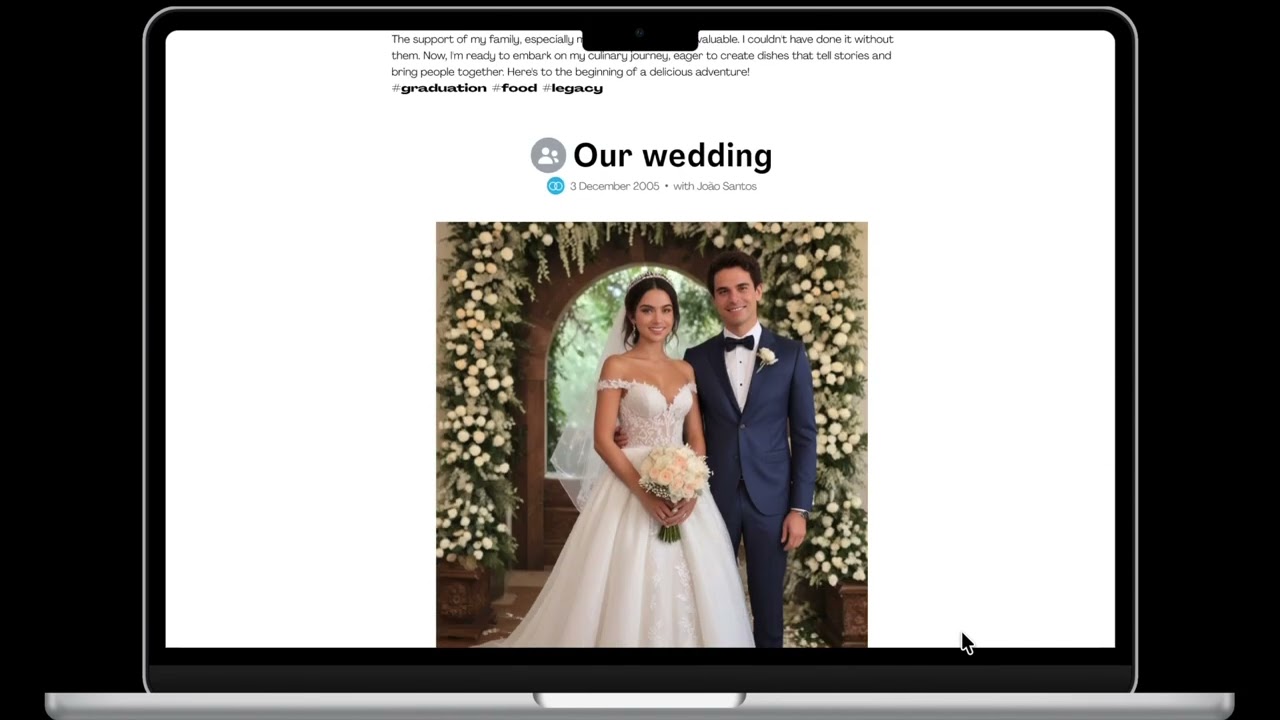
Your digital timeline is a central hub for all your memories.
Scroll through Adriana's digital timeline!
Creating a Memory Post
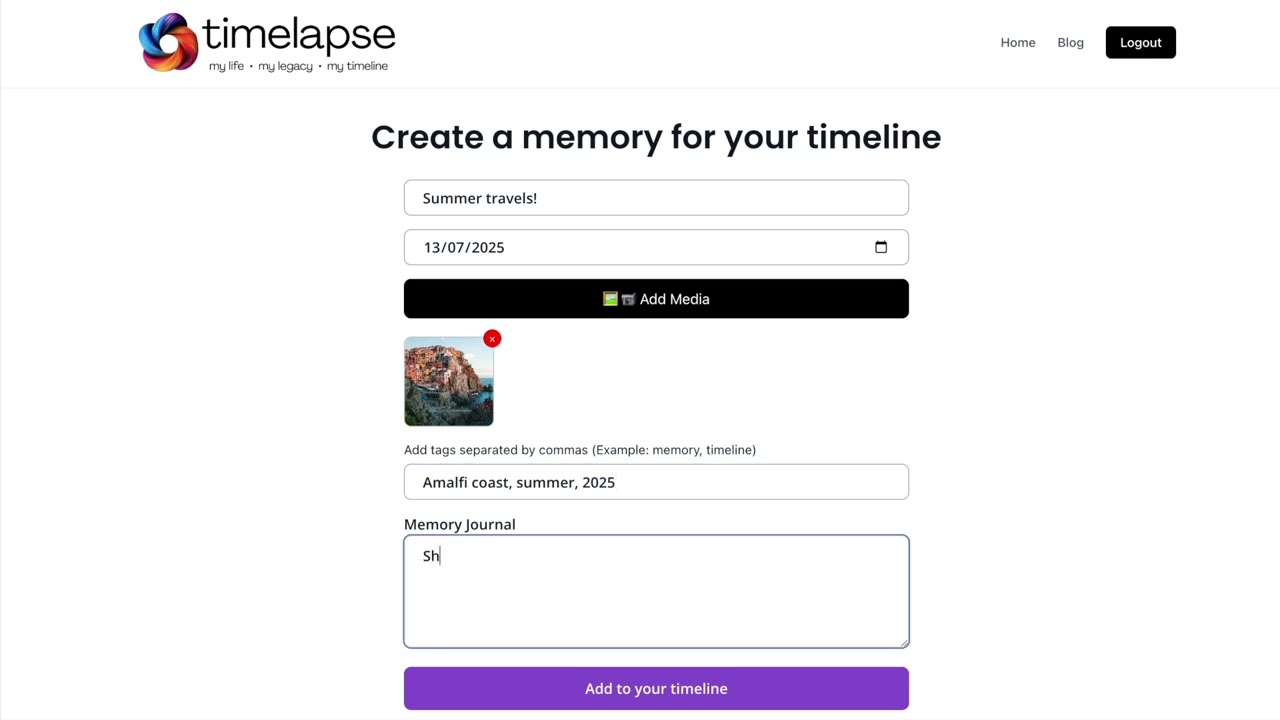
Once you're logged into Timelapse, follow these steps below to create a memory post for your digital timeline:
- Click "+Add Post" button
- Fill in the "Memory Title" box
- Select a date from the calendar
- Click "Add Media" button
- Select a photo, video, or other file from your device
- Add tags separated by commas for better searchability and organization
- Fill in the "Memory Journal" box with a diary entry, poem, description, etc.
- Click "Add to your timeline" button
Learn how to create a memory post for your timeline!
Sharing & Connecting
Timelapse is made just for you if you wish but it is also built for sharing with loved ones!
Sending Heirlooms
An Heirloom is a collaborative group message. These are for sending on special occasions to your friends and family so they can cherish them as part of their timelines.
Follow these steps and check the GIF below to send an Heirloom to your loved one for a special event:
- Click "-> Send Heirloom" button
- Fill in the "Recipient Details"
- Select the type of special event from the drop-down menu and choose a delivery date from the calendar
- Fill in your message and add tags to organise this memory
- Upload any relevant media such as images or videos
- Click "Invite Collaborators" and add email addresses of anyone you want to also add a message to the Heirloom recipient
- When finished, click "Create Heirloom"
- Now, an email will be sent to any listed collaborators for them to fill in a message and the intended recipient will receive the Heirloom on the selected delivery date.

Special Features
We have several unique features in Timelapse to help make your digital legacy shine.
Finding Memories
You can use the search bar to easily discover your memories. This is why using tags and keywords are so important in your posts. Type keywords or dates to find a past memory you want to revisit. Retrieving memories has never been so fun!

What's Next for Timelapse
We have some upcoming features to look forward to such as:
Sharing Memories
If you want to share a specific memory from your digital timeline with your BFF from kindergarten, your grandma from Christmas dinner, or even include your twin brother as a collaborator in your birthday memory, you can do just that!
Creating a Time Capsule
Timelapse offers a modern, digital way to create a time capsule in the form of a letter or message to yourself or your loved one for the future.
AI-driven Insights
AI-driven insights include suggestions of memories you may wish to revisit on certain special days and more.
Memory Guardians
Timelapse will allow you to designate Memory Guardians of your timeline for future generations to cherish and explore.
Souvenirs
Along with your Heirloom, you may want to send “Souvenirs” such as gift cards, greeting cards, t-shirts, and more.
These will also be covered in future updates to this user guide.
Now It's Your Turn
Start preserving your story with Timelapse today!
- Visit our Homepage
- Contact us for Support
- Check out our Blog
- Subscribe to our Monthly Newsletter
- Find us on Instagram and YouTube